
skript pro DTP
Data Merge Plus
Data Merge Plus posouvá Data Merge v InDesignu na úplně jinou úroveň. Pracujte s živými daty z tabulek, okamžitě vidíte, co se změnilo, aktualizujete jen to, co potřebujete, hromadně generujete dokumenty, automaticky vytváříte styly, pracujete s obrázky a generujete barevné vektorové QR kódy přímo z vašich dat. Velmi ocením jakoukoli zpětnou vazbu, hlášení chyb i nápady na nové funkce, které byste chtěli do pluginu přidat.
otevřít manuál ↗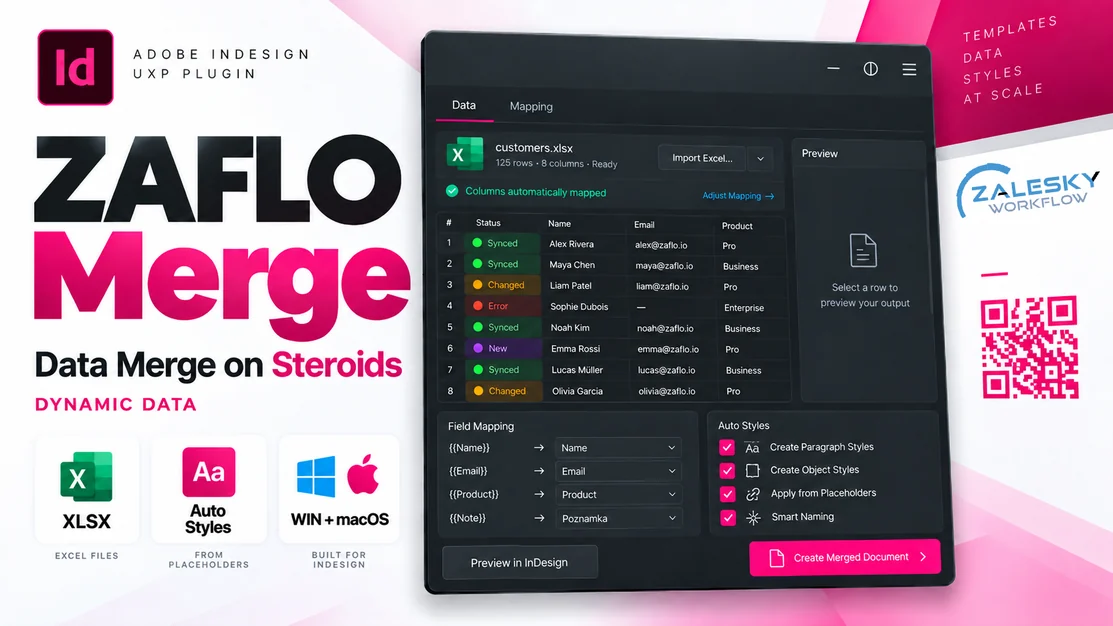
* Uvedené ceny nezahrnují poplatky za zpracování platby účtované platformou Gumroad.
Co skript umí
42 funkcíData a propojení
- Import přímo z XLSX, XLSM, XLS, ODS, CSV, TSV a TXT, bez převádění na CSV.
- Při importu se data sama opraví: prázdné a zdvojené hlavičky, duplicitní klíče i česká čísla s desetinnou čárkou.
- Tabulka s daty je přímo v panelu jako živý spreadsheet a hladce zvládne tisíce řádků.
- Každá vložená hodnota zůstává živě propojená s řádkem v datech.
- Barvy hned ukážou stav: červená = změna v souboru, oranžová = ručně upraveno v InDesignu, fialová = řádek z dat zmizel.
- Update přenese změny z Excelu do hotového dokumentu jedním kliknutím.
- Hodnotu jde zamknout, odpojit nebo znovu připojit.
- Go to najde hodnotu v dokumentu a posune na ni zobrazení jako Find/Change.
- Propojení se ukládá přímo v .indd, takže dokument si vazby nese s sebou.
- Kopie vložené hodnoty se může aktualizovat s originálem (dá se vypnout v nastavení).
Placeholdery a šablona
- Záložka Placeholders ukazuje každý sloupec, jeho typ, placeholder a kolikrát je v dokumentu (zeleně, když tam je).
- Placeholder se vloží dvojklikem do místa kurzoru nebo celým rámečkem.
- Poznává i šablony postavené klasickým Data Merge.
- Najde placeholdery i na skryté a zamčené vrstvě, v přetečeném textu a na vzorech.
Formátování
- Formáty sloupců: počet desetinných míst, oddělovače, předpona a přípona, velikost písmen.
- Regex náhrady v textu hodnot.
- České pevné mezery doplní automaticky (čísla a jednotky, Kč, %).
- Každému sloupci jde přiřadit odstavcový, znakový a objektový styl.
- Styly se umí pojmenovat a použít automaticky podle názvu sloupce.
- Presets uloží celé nastavení sloupců a použijí ho na jiný soubor se stejnými sloupci.
Obrázky a QR
- Obrázky se hledají podle vzoru názvu souboru, např. {nazev}.jpg ve zvolené složce, a zvládnou i znaky zakázané v názvech souborů.
- Vektorové QR kódy přímo z dat: URL, e-mail, SMS, vCard, Wi-Fi a další, s volbou barvy.
- Podmínka „ukaž rámeček, jen když…" zobrazí rámeček podle hodnoty v datech.
Slučování (Create Merged Document)
- Multiple records per page funguje i na facing pages, se správnými okraji na levé a pravé straně.
- Výsledný dokument je přesná kopie šablony: vzory, vodítka, spadávka, okraje i styly.
- Volba facing pages, single pages nebo „jako šablona".
- Vícestránkové šablony fungují jako v klasickém Data Merge (2 stránky × 2 záznamy = 4 stránky).
- Každý záznam může mít vlastní rozvržení (snippet podle sloupce).
- Mřížka záznamů se nastaví sloupci, řádky, mezerami v mm (i 2,15), pořadím a přichycením ke sloupcům stránky.
- Náhled rozvržení přímo na stránce se zapíná na vyžádání.
- Prázdné řádky z dat se dají vynechat.
- Prázdné rámečky se dají odstranit: obrázky bez fotky, QR bez obsahu i prázdné texty.
- Při slučování ukazuje průběh.
- Dá se rozdělit do více dokumentů po N záznamech (_2, _3…).
- Rovnou umí exportovat PDF se zvoleným presetem.
- Sloučený dokument může zůstat živě propojený s daty.
Náhled a práce
- Náhled záznamu přímo na stránce šablonu nikdy nepřepíše.
- Každá akce jde vrátit jedním Ctrl+Z.
- Šířku sloupců jde měnit tažením v obou záložkách a dvojklik sloupec přizpůsobí obsahu.
- Diagnostika ukáže, co panel v šabloně poznal a co ne.
- Panel si vede log akcí i chyb v dokumentu a v souboru na disku.
- Podporuje tmavé i světlé téma InDesignu.
Historie změnv1.1.0
1.1.02026-10-05
Added
- The plugin is called Data Merge Plus. Settings, presets, links in documents and the installed plugin carry on as they were.
- A 14-day trial and a Gumroad licence: Licence... in the ⋯ menu and the panel menu, the days left at the bottom of the panel. After the trial the data, Import, Field Mapping, Check the Template, Go to and Settings keep working; placing, Update, Preview, Check and Merge, placeholders, Styles and conditions need a key. A key is checked with Gumroad and works offline for 30 days at a time.
- The manuals are called DataMergePlus_manual_EN.html and DataMergePlus_manual_CZ.html and have a new section, 21 · Trial and licence: what keeps working after the trial, buying, activating, another computer, working offline.
Changed
- The Settings window is larger (776 × 860), and the Find => change field shows at least six rules and scrolls when there are more. Its hint says plainly that a regular expression starts with re:, with the example on a line of its own - without re: the text is looked for letter by letter.
- Built-in formats are shown in [square brackets] in the list of formats, the way InDesign marks its own styles, instead of a dot after the name.
Fixed
- A merged document made without "Keep fields linked to the data file" now holds only the values: no XML tags or tag markers, no notes, hyperlinks or labels of ZAFLO Data Merge, no data source or link table - and no fields of InDesign's own Data Merge when the template was built with it (they are hyperlinks to "DBF_..." and stayed wrapped around the values). Real hyperlinks stay. With the links kept, everything stays as it was.
- After a merge the panel said "! the document could not be read: view is not defined" and showed nothing.
- A frame named after a column (with no <<placeholder>> in its text) was never filled with its value.
- When InDesign refused to move a record into its place in Multiple records per page, the merge stopped with an error instead of noting it in the report.
- Right after an import the counter beside Preview read – / 0 on the Placeholders tab until the Data tab had been opened. It shows 1 / 85 at once, and Preview and the arrows work straight away.
- A long format name was shown from its end in the Name field ("ace before %)") until you clicked into it.
1.0.0-rc2026-10-01
Added
- Field Mapping shows the result as you set it up: five records at a time, every column the way the panel will write it - formats, picture file names, QR content - with the styles each placeholder will get. It changes with every setting, before OK, without waiting on InDesign. With many columns it scrolls sideways on a bar of its own, so the window keeps its size.
- Import and Map... in the import window: imports the file and opens Field Mapping straight away, to set the format, kind and styles of each column with the data in front of you.
- Create Merged Document offers to save beside the data file, as its name with _merged and the whole path written out (C:\Jobs\katalog.xlsx gives C:\Jobs\katalog_merged.indd). A data file merged before offers where that one went.
Changed
- The Merge... button is now Check and Merge..., because it checks the template and sets the merge up before anything is made.
- The import window no longer has the File and Name fields: the file is picked before the window opens and the source is named after it. Re-import Data Source now asks for the file first too, which is how next week's file takes the place of this one; a source named after its old file takes the new name.
- Create Merged Document remembers every setting, whether you press Create or Cancel.
- Field Mapping takes less room: Read from the file and Numbers, File name and Extensions, and the layout column and the snippet for an empty cell sit side by side.
- With data loaded there is always a current record - the first one until you pick another - so the counter shows 1 / 85 instead of – / 85, and Preview and the arrows work straight away, also from the Placeholders tab.
- Placed Fields with nothing placed yet says why the list is empty and where the placeholders are listed instead.
- Styles for the Placeholders only touches text and frames that have no style at all. Text whose paragraph, characters or frame already carry a style of their own is left exactly as it is - no character style is laid over a paragraph that has a style.
- The help texts in the windows use neutral examples (large.idms and small.idms, {SKU}, pcs), and Treat as empty starts with (blank), (empty).
Fixed
- Choosing where to save in Create Merged Document no longer throws away the settings made before - Multiple records, spacing and the rest stay as they were.
- Cancel in Create Merged Document with Preview on the page ticked left the preview records on the page. The preview now always goes, and it leaves nothing in the undo list.
- Undo after using the preview in Create Merged Document had dozens of steps to go through and could bring InDesign down. A preview is now one step, and taking it off takes that step back.
- The ... menu was cut through by the search field and the filter below it. The fields step aside while the menu is open - also on the first opening, before InDesign has measured the menu.
- Styles for the Placeholders said there were no placeholders while the page was full of them, and made no styles. It now styles them, and when every placeholder already has a style of its own it says so.
- Preview on the page in Create Merged Document showed the number of pages but put nothing on the page, and with empty values in the data it could bring InDesign down. While it is laid out, the window says so in blue.
- Save as in Create Merged Document showed "[object Promise]_merged.indd".
- Opening Create Merged Document added two "Set Measure Units" steps to the undo list every time.
0.9.62026-09-30
Added
- Create Merged Document works with templates of several pages, the way InDesign's own Data Merge does: every record fills all the template pages, then the next record the next set. Two records on a two-page template give four pages. The dialog says how many pages the template has and how many the merge will make.
- Multiple records per page on a template with more than one page is refused with a clear message in the dialog, instead of making something wrong - several records per page are laid out from a single page.
Fixed
- A multi-page template merged with facing pages came out in the wrong order or with a page missing (two pages and two records gave five pages), and a three-page template stopped with an error.
- The panel no longer hangs in a document that already has a lot in it (a catalogue with a few hundred frames, texts and pictures). The Placeholders list looked through the whole document once for every column, at every click on one of its lines; it now looks once, and only after an action or at the regular check. The regular check reads the notes of the whole document in one go instead of text by text.
- Diagnostics listed every "show only when" condition twice.
Changed
- The panel is called ZAFLO Data Merge - in the Window › Extensions menu, on its tab, in About, in the dialogs, in the log file and in both manuals. Nothing else changes: it is the same plugin, so settings, presets, column widths, the log file and every link in your documents carry on as they were.
- The manual says plainly that InDesign's own Data Merge and ZAFLO Data Merge must not be set up on the same document. With a Data Merge data source selected, InDesign keeps invisible markers of its own around its fields, and editing the values ZAFLO Data Merge placed there goes wrong - deleting leaves characters behind. Remove the data source in InDesign's Data Merge panel first.
0.9.52026-09-27
Added
- The manual comes in Czech too: ZafloMerge_manual_CZ.html beside ZafloMerge_manual_EN.html, the same sections, the same pictures. A few passages of the English one that still described the older preview and marking were brought up to date at the same time.
- Settings › Copies of a placed value are updated with it. On, as before: copy a frame with a placed value and the copy follows the same cell. Off: copies go their own way and Update leaves them alone.
Changed
- The merge option that removes empty picture and QR frames removes text frames too, when every placeholder in them came out empty - an icon whose note is empty goes instead of leaving a red box with nothing in it. Only frames that held placeholders: a frame the template leaves empty on purpose stays. The option is now called "Remove frames that get nothing".
- A value that is the whole text of its frame - an icon, a price flash, a label - is linked on the frame instead of on the text.
Fixed
- A copied icon retyped by hand was not updated from the data file, and neither, often, was the original. InDesign deletes the invisible link of a text the moment all of it is typed over (measured: "10 LED" retyped as "12 LED" leaves no link at all), so the field simply stopped being a field. A value that fills its frame is now linked on the frame, which keeps its link whatever is typed in it and which a copy carries along; Update also looks for fresh copies first.
0.9.42026-09-27
Added
- Go to moves the view to the value, the way Find/Change does: a value on another page or scrolled out of sight comes into the window and is selected, and the zoom stays as it was. Before, the value was selected but the view did not move, so with the page scrolled elsewhere nobody could see where it was.
- Create Merged Document can remove picture and QR frames that get no picture - an empty cell, or a picture that is not found - instead of leaving an empty box on the page. Missing pictures are still listed in the report. The preview follows the same setting.
- A picture column whose cells are empty and whose file name comes from a pattern shows in the grid the name that will be looked for, instead of nothing.
Changed
- The Preview tick no longer writes into the template at all. The template is hidden and a copy of it, filled with the record, is laid exactly over it; switching the preview off takes the copy away. Pictures, QR codes, conditions and the styles of the columns now show in the preview as the merge will make them.
- A picture frame marked as a placeholder stays a picture frame. It used to be turned into a text frame so the mark could be written on the page; the label and the name in the Layers panel are what the panel goes by.
- The Type column of Field Mapping is wide enough to show Text, Image or QR code instead of "...".
Fixed
- Stepping through records with the preview on could wreck the template: values stayed, placeholders were written again and again (stranka: 232323, <<Stranka>><<Stranka>>...), and every step reported "placeholders of the previous record could not be put back". Once one step failed - after a picture frame was marked, for instance - the next one found no placeholders, looked for bare column names and found "stranka" in the label "stranka:". The preview now works on a copy (above), so there is nothing to put back. A template already damaged this way has to be put right once by hand, or reverted.
- The panel could say "busy" to everything for good - and then also keep showing a data source after every document was closed, because it stops looking at the documents while it is busy. A window of the panel that InDesign put behind the panel - which it does after a file or folder has been picked - left its action waiting for ever. The panel now knows which of its windows are open: clicked while busy, it says which one, and a second click closes it as Cancel. With no window open, an action that holds the panel for more than twenty seconds is let go; a merge showing its progress is never.
- A picture whose name is made from the data was never found when the data holds a character a file name cannot have, like the asterisk of a footnote at the end of a product name (SADA KLICU*). The name is now also tried without * ? " < > | : - and that one first.
0.9.32026-09-26
Added
- Create Merged Document shows how far it has got, from the moment Create is pressed until the report opens: a bar with the percentage and what is being done - making the copy of the template, adding the pages, laying the records out, filling record 20 of 45, saving, exporting the PDF. It stands where the list is, so nothing covers the fields of the panel. Before, the dialog closed, the panel looked finished, and InDesign went on working for half a minute with only a line of small print to say so.
- Create Merged Document can lay the pages out as facing pages - 1, then 2-3, 4-5 and on, the way a leaflet is printed - or as single pages, or leave them as the template has them. The choice is under Layout › Pages.
- Rows with nothing in them can be left out of the merge altogether: tick "Leave out rows that have nothing in them" and the next row moves up into the empty one's place, instead of an empty slot with empty frames. The key column does not count, because a price list keeps numbering its empty lines. The preview on the page leaves them out too, and the report says how many went.
- The columns of the Placeholders view can be made wider or narrower: drag the right edge of Column, Kind or Placeholder, and In the document takes what is left, so the list never needs to scroll sideways. A double-click on the edge fits the column to its longest text. The widths are kept for next time.
- A double-click on the edge of a column heading in the Data view fits the column to its longest value, the way Excel does. The width is kept by the name of the column as well, so next week's file - a new path, the same columns - opens with the widths you set.
- A long value that is cut off at the edge of its cell shows whole when the mouse rests on it.
Changed
- The selected cell keeps the colour of its state and gets a violet line round it; the same for the selected line in the Placeholders view. Tinting it grey took the green, red or orange away, and the cell you had picked looked like any empty one.
Fixed
- Cells turned orange - "edited in InDesign" - although nothing had been touched, wherever a value is followed by a forced line break (shift+enter): "1 ks" and the price line under it were read as one value. The end of a value is now found at a soft return just as at a paragraph return, and at a line separator too.
- The selected cell was not marked at all in InDesign, and a locked cell had no yellow edge: both were drawn with a shadow, and UXP does not draw shadows. They are frames now - violet round the selected cell and the selected line of the Placeholders view, yellow round a locked cell - drawn inside the cell, so nothing moves.
- Retyping the start of a placed value broke it on Update: 399,90 changed by hand to 29,90 came back as 29399,90. InDesign puts what is typed at the start of a linked value in front of the link, not in it, so the panel saw only ",90", Go to selected only ",90" and Update wrote over only that. The panel now remembers a few characters on either side of every value it places and reads the value as everything between them - the panel shows 29,90, Go to selects 29,90 and Update puts 399,90 in its place. The same at the end of a value. Text around a value that was there before, like a unit written right after it, is never taken in. Values placed by an older version have their neighbours written down the first time the panel sees them; one that is already broken this way has to be put right by hand once.
- With facing pages, the records meant for the right-hand page of a spread were put a whole page width further right, on the pasteboard, and stayed unfilled. InDesign measures a page from the spread whatever the ruler is set to, but an object from the page when the ruler counts from the page - which is what the merge set. The merge and the preview on the page now count from the spread while they lay the records out, and put your ruler back afterwards. Checked on a copy of a real leaflet template: all 55 objects of eleven records land inside their own page, where before all of those for the right-hand page were off it.
- With several records to a page, every page after the first was a blank new page: it had the master of the template but not the guides of the template page, nor its own margins. New pages are now copies of the template spread with the contents taken off, so the merged document looks like the template page for page - master, margins, guides, bleed, styles and all.
- Create Merged Document with facing pages could hang InDesign: every new page went into the same spread, which grew ten pages wide while InDesign laid the whole of it out again for each one. A template often has its spread set to keep its pages together (Allow Selected Spread to Shuffle off), and a page added after it joins it. The merged copy now allows shuffling on the document and on every spread, adds pages a spread at a time, and stops with a message the moment a page does not appear instead of trying again. Measured on a copy of a real leaflet template: twelve pages come out as 1, 2-3, 4-5 ... 10-11, 12, all with their guides, in about a second. The template itself is never touched.
- On the left-hand page of a spread the records started at the inside margin, by the spine, instead of at the outside one. InDesign reports the inside and the outside margin as left and right on both pages of a spread; the side of the page now decides which is which.
- The preview on the page put the records in the wrong place on a page that is not the first of its spread, when the ruler counts from the spread. Everything is measured from the page's own edge now.
- The columns of the Data view could not be resized in practice. The edge to drag was meant to be there, but it sat invisible where the heading text starts instead of on the right edge, so it was never found. It is on the edge now, with a line that lights up under the mouse.
0.9.22026-09-26
Added
- Field Mapping keeps presets. Everything set up in that window - the format of every column with its rules, its replacements and its change of case, which column is a picture and which a QR code with what it holds, the image folders and file-name patterns, the paragraph, character and object styles, the column that decides the layout - goes under a name with Save as..., and next week's file is set up with Apply. Columns are matched by name, ignoring case, spaces and underscores, so nazev finds Nazev; what the preset has no column for is left exactly as it is, and the panel says what it did: how many columns were set up, what the preset had that this file has not, and what it left alone. The formats you made yourself travel inside the preset, because a format lives on this machine and not in the document - so Export... writes the preset to a file a colleague can Import... and have the same setup on their machine.
- Field Mapping has a paragraph style and an object style beside the character style, in the order Format / file name - Paragraph style - Character style - Object style - Sample. The paragraph style goes on the paragraph the value lands in, the character style on the value itself, and the object style on the frame that holds it - so a picture column and a QR column can carry one too. They are applied when the value is placed, when it is updated and in the merged document, always with "clear overrides" off, so what somebody set on that one frame by hand stays.
- A template made with InDesign's own Data Merge panel is read the same as one written by hand. The placeholder InDesign writes is the same <<Field>> text, so it was already recognised; now, when the search cannot reach a frame at all, the panel asks the document for the list of placeholders it keeps itself - field name and position - and works from that.
- Right-click a line in the Placeholders view for a menu: paste that placeholder at the text cursor, find the one already in the document - the text of it, or the frame itself when a whole frame is the placeholder, and choosing it again walks through them one by one - mark the selected frame, set the format or the kind of the column, give the selected frames a condition, or open Field Mapping.
Changed
- Preview on the page in Create Merged Document is off every time the dialog opens, whatever it was left at last time - laying the page out is real work and should not start on its own.
- Fill on click is gone. Arming the panel and then clicking frames in the document turned out to be of little use next to Place and Fill Frames From This Row.
- The object style of a column is also given to a frame whose whole text is that one placeholder - an icon or a flash built from a single <<Column>> - not only to a frame marked with << >> or named after the column. A frame holding several placeholders still gets none.
- Right-clicking the row number offered "Insert placeholder <<#>>", which is not a column of the data. That menu now speaks about the key of the row.
- The panel has two views. Placeholders is one line per column with its kind - text, picture or QR code - the placeholder to write into the document and how many of them are already there; a line goes green once its placeholder is in the document. Data is the spreadsheet with the state colours, which is what you want once something is placed. A template that has nothing placed yet opens on the placeholders, a document that has opens on the data, and the two tabs switch at any time.
- Double-clicking a cell writes the placeholder of that column into the document, the same as double-clicking the column heading. It used to place the value itself, which there was no way back from.
- The tick that shows only the rows with problems in the import says how many there are, and cannot be switched on when there are none - switching it on used to empty the list and look like a fault.
- The Preview tick in the panel shows one record: the placeholders on the page are filled with the values of the row you are on and nothing else is added, so it is the page in front of you with real text in it. The arrows step from record to record, and switching the tick off puts the placeholders back.
- Create Merged Document can show its layout on the page itself. Tick Preview on the page, at the left of the button row, and the records are laid out on the active page exactly as the merge would build them - the margins, the spacing, the order and how many fit - so it can be judged at its real size and with the real gaps, and it follows the settings as they are changed. It is off until it is asked for, because laying the page out is real work and InDesign should not do it at every keystroke. The small picture of the page that used to be in the dialog is gone; the page is the picture. The template comes back when the tick goes off or the dialog closes, whichever button is pressed, and nothing laid out this way is linked to the data.
- The panel is dressed the way the other Zalesky Workflow tools are: the same palette, the same square buttons and tick boxes, the same menus and dialogs. It follows InDesign's brightness - darkest, dark, medium or light - instead of painting one colour for all four.
- Every button in the panel and in the dialogs is drawn rather than native. A native button in UXP brings its own pale pill and ignores the shape set for it, which is why they used to look like lozenges.
- The tick boxes are drawn too, so they sit on the text baseline at any size; the checkbox behind each one only holds the state.
- The menu under the ... button stays inside the panel instead of running off the right edge, and three of its entries have shorter names.
Fixed
- The spacing in Create Merged Document took whole millimetres only: 2,5 turned into 2 the moment the field was left. It was a number field, which snaps what is typed to its step and decides for itself what a comma means. Column and row spacing are now ordinary fields that take 2,15 or 2.99, with a comma or a dot.
- Create Merged Document failed with "b is not defined" whenever several records were put on one page. The layout was split into a piece the merge and the preview share, and the merge was left reaching for a measurement that had moved into it.
- Copy the value said "Copied" and left the clipboard empty. Three ways of writing to it are now tried and only the one that really worked is reported; if none can, the value is handed over in a box to copy by hand.
- The layout preview in Create Merged Document showed the values without the styles of their columns, so an icon kept the colour of the template instead of the object style it was given.
- The ... menu opened somewhere down in the middle of the panel instead of under the button. It was held inside the grid, and in the Placeholders view the grid is not shown at all - a box of nothing but zeros - so the menu was squeezed into the corner of it. It now hangs under the ... button with its right edge, and may use the whole panel, so the long entries are no longer cut short either.
- The rows of Field Mapping were out of line: an input sits on a text baseline and a dropdown does not, so the format dropdown stood lower than the rest of its row. Every cell is now the same height with its control centred and filling it, so the fields line up down the table and the gaps between them are the same everywhere.
- Run Diagnostics left its XML tag behind in the Tags panel. It tries all four ways of linking on two characters at the text cursor and takes them away again, but InDesign keeps the tag even after the element using it is gone - it is now taken away too, as long as nothing else in the document is using it.
- A tick box in a dialog could do nothing at all. The box is drawn and the real checkbox behind it only holds the state, so the change it reports is a made-up event - and UXP does not always deliver one sent to something it is not drawing. The click on the row is now listened to as well, so Preview on the page in Create Merged Document, and every other tick, answers the first time.
- What the preview in Create Merged Document does, and why it could not be built, goes into the log file. Nothing behind a modal dialog used to leave any trace.
- Taking a placeholder back took three goes at Ctrl+Z. Writing a label into the document is a step back of its own, and the panel wrote two of them around every action - the line for its log and the table of links - so undo walked through the panel's diary before it got to the text. The ten-second check wrote one as well, which also kept marking the document as changed. All of it now goes in with the action itself, in the same step: one action, one Ctrl+Z, and undo takes the text, the link and the log line back together. The log file on disk is written at once as before.
- Marking a frame as a placeholder and giving it the style of its column were two steps back; they are one.
- Preview wrecked the template when a frame held more than one placeholder. The positions are written down in the template, but a value is never as long as the placeholder it replaced, so putting them back from the end of the text landed them in the wrong places: <<pop>> ended up inside a word (PEKAC NA H<<pop>>USU) and a value stayed behind where the placeholder should be. From then on the frame was ruined - the next record could not find its placeholders, so the page showed one record's name next to another one's note. Placeholders now go back from the start of the text, where each one puts the text in front of the next one right.
- A value that was empty left nothing to recognise, and the placeholder was written back blindly. The panel now remembers the few characters in front of the spot and finds it by them.
- Placeholders on a hidden or locked layer, in a locked story or on a master page were not found: Find/Change keeps those switches in the application, and they are off unless someone turned them on in the dialog. Every search the panel makes now says it wants all of them.
- A frame marked as the placeholder of a column was counted twice in the Placeholders view: the frame, the << >> text inside it and the frame's name are three ways of showing one spot, not three spots.
- The PDF preset could not be chosen after the layout was switched between one and several records to a page. The row is now shown only when a PDF is asked for, and taken away when it is not, instead of sitting there greyed out.
- Menus came out in the browser's default serif: they hang off the body, outside the panel, which had no font of its own.
- The panel could sit there saying "open or create a document first" with the document open in front of it: if it ever saw InDesign with no document - between two windows, or while the merged one was closing - it wrote that down as the answer and, because the answer never changed, never looked again. It now keeps looking as long as there is a document it has no state for.
- Anything that goes wrong while the panel opens, and any action that fails when no document is attached, is written to the log file. Before, those were the two cases that left no trace anywhere.
- A frame marked as the placeholder of one column but holding placeholders of its own came back from the preview with nothing but that one value in it: the whole story was written over. Such a frame is left to its placeholders now.
- The key column heading sat on top of the row numbers in the grid.
- The Import Data Source dialog fell apart, its rows drawn over the form: the box the preview is drawn in lost its size and its place when the panel was restyled, and the rows are positioned inside it.
0.9.12026-09-20
First build handed out for testing. Everything below is what it can do and what was put right while it was being built.
- Spreadsheet reading: SheetJS CE (Apache 2.0). QR codes: qrcode-generator by Kazuhiko Arase (MIT).
Added
- The panel sits in the Zalesky Workflow group with the other tools, the way InDesign lists them.
- The panel also writes a plain text log file, so it can be read when the panel itself has stopped answering — that is exactly when it is wanted. Every action, every failure and the version and system the panel is running on go in it. It lives in the plugin data folder (Windows: %APPDATA%\Adobe\UXP\PluginsStorage\...\com.zalesky.zaflomerge, macOS: ~/Library/Application Support/Adobe/UXP/PluginsStorage/.../com.zalesky.zaflomerge) and the About box says the exact path.
- With "Give every placeholder a style of its own" switched on, Create Merged Document now styles the merged document as it is built, and the report says how many styles were applied.
- The colour of a QR code is shown as the colour itself in Field Mapping, with the name in the tooltip.
- Panel menu › Styles for the Placeholders: every <<Placeholder>> gets a paragraph style and every marked frame an object style, named after the placeholder, so a template thrown together quickly can be styled in one go. Places that already carry a style of their own are left alone. Settings can have it done automatically whenever a placeholder is made, with a name to put in front of the styles.
- The colour of a QR code is picked from a list of the document's swatches with the colour shown as a square, its ink values and a mark for a spot ink — not only by name.
- A QR code can hold what InDesign itself offers: plain text, a web address, an e-mail with a subject, a text message, a phone number, a business card (vCard) or Wi-Fi access. Field Mapping › Content… sets the kind and its fields, and every field may take a value from another column of the same row, written as {Column}.
- QR codes are placed like pictures: mark a frame with << >> and Place, Preview and Create Merged Document fill it the same way.
- QR codes are made by the panel itself: set a column to QR code in Field Mapping, pick an ink of the document, and every record gets its own code from its value — a link, an EAN, a code. It is written as a vector PDF, so it is CMYK, or a real spot ink when the swatch is one, and it stays sharp at any size. The same value and colour reuse the same file.
- A ... button in the panel opens everything the panel can do — import, mapping, merge, the overviews, settings, diagnostics. InDesign does not show the flyout menu of a panel everywhere, so nothing depends on it any more.
- The same condition can be set by right-clicking a cell: "Show the selected frames only when <column>..." starts with that column already chosen.
- A frame can be given a condition: panel menu › Show Only When… sets the column and the test (not empty, is, contains, more than, …) and the frame is then only kept for the records where it holds. Merge takes such a frame away, the preview only hides it, and Check the Template lists every condition.
- Create Merged Document shows a picture of the page before anything is made: the margins, the records in their places, how many fit on a page and how many pages it will be. It follows the settings as they are changed.
- A copied frame that is filled with placeholders again counts as a template: the old link is dropped, so Update does not overwrite the new placeholders.
- Copying a frame keeps it linked: both copies then follow the same row and update together. InDesign renames the copied anchor (ZAFLO:x 2) and gives the frame a new id, which the panel now recognises.
- The panel writes what it does into the document (last 40 lines), so it can be told afterwards why an action did nothing.
- The file name of a picture can be set per column, not only per data source: in Field Mapping an image column shows a pattern field where the format would be.
- Pictures are looked up by rules: several folders searched in order, a file name pattern such as {Art Nr} or foto_{value}, and a list of extensions to try. A cell can hold just a code.
- Panel menu › Text That Does Not Fit: every frame with overset text, with its page and the beginning of the text; click a line to show it, or copy the whole list.
- A field can be locked: Update and Update All leave it alone, and the cell is marked with a yellow edge. Right-click a cell to lock or unlock it.
- Fill several slots at once: select the frames or groups, pick the first row and the panel fills them with the rows that follow, in reading order. No naming or special preparation needed.
- A format can now remove the whole line when the value is empty, so no blank line is left behind (Settings › Formats › Empty line).
- Marking a picture frame as a placeholder now always shows <<@Column>> in the frame: a picture frame can only hold an image, so the column is switched to image paths automatically.
- The format of a column is set by right-clicking any of its cells: a list of formats with a live preview of that value before and after. The same menu switches a column between text and image paths. The checkbox list in Settings is gone.
- A button next to the list of data sources removes the source from the document, so a new one can be imported from scratch.
- An empty picture frame marked as a placeholder now shows <<@Column>> on the page, the way Data Merge does, so it is clear which frame is already prepared. It turns back into a picture frame when the image is placed, keeping its size, fitting options and name.
- Preview now also fills templates that carry plain column names, not only <<placeholders>>.
- Panel menu › Check the Template: lists everything the panel found in the document — placeholders, column names written in frames, marked frames and frames named after a column — with the page and a red mark for names that match no column.
- Placing a row, previewing a record and creating a merged document all fill these marked frames.
- A placeholder can be a whole object: select a frame, pick a column and press << >>. A picture frame becomes an image placeholder, a text frame holds the whole value. The frame is named <<Column>> in the Layers panel, so it is visible.
- A record can bring its own layout: set a layout column in Field Mapping and the value names a snippet (velka → velka.idms) that is placed into the slot when merging. With no layout column set, everything works as before.
- Create Merged Document can start at the page margins and snap the spacing to the page columns.
- The format editor lists the columns of the current data source, so a format can be ticked for the columns it applies to.
- Two ready-made discount formats: 49 % with a space and 49% without.
- New imports read the values as Excel shows them; raw numbers stay available as an option.
- The grid shows values the way they will be placed, with the format applied, not the bare value from the file.
- Panel menu › Placed Fields Overview: everything placed in the document, grouped by page, with its state; click a line to jump to it.
- Right-click a cell for a menu: place, insert placeholder, update, go to, unlink (the text stays), unlink the whole row, copy the value.
- "Fill on click": switch it on, pick a row, and every frame you then click in the document is filled from that row.
- Double-clicking a column header writes that column's placeholder into the document at the text cursor.
- New << >> button writes the placeholder of the selected column into the template at the text cursor, and the panel menu can write placeholders for all columns at once.
- After filling, the panel says how many frames have text that no longer fits.
- Place fills a whole row into the selected frames in three ways: <<Placeholders>>, the plain column name written in the frame (AkcniCena, Art Nr), or a frame named after the column in the Layers panel.
- The line under the grid says in words what the state of the cell is.
- When the key of a placed row changes in the data file, the panel offers to move the fields to the new key (Relink), as long as the other values still match.
- Rows that are placed in the document but gone from the data file are listed first, not at the end.
- An import that would skip every row is stopped with an explanation.
- Unnamed and repeated column names can be fixed automatically (Column D, Cena (2)).
- "Skip problem rows and import the rest" imports everything that is usable in one click.
- When a file can't be imported yet, the dialog lists every problem in plain words, with the affected Excel lines and one-click fixes (skip these rows, combine the key, keep the first duplicate, skip or number duplicates, use another header row, name columns automatically).
- The import suggests a column that makes the key unique.
- Messy spreadsheets: combine the key from several columns (e.g. article + position), skip rows without a key, keep the first duplicate or number duplicates, and treat texts like "(prázdné)" as empty.
- A header row and a unique key are required; the import tells you exactly which names or keys are missing or duplicated.
- Import data from XLSX, XLS and CSV (choose the sheet; CSV delimiter, encoding and text qualifier, or auto-detect).
- New: panel menu › Run Diagnostics — tries every step of placing a field in the open document and reports what works, to copy and send on.
- Import preview shows all rows with resizable columns, horizontal scrolling and problem rows in red, with an option to show only those rows.
- Settings are organised in tabs, with a clickable list of formats and a test value at the top.
- Live spreadsheet grid in the panel that stays fast with thousands of rows: search, filter by status, sort, resize columns, frozen key column.
- Every placed cell shows its status: green in sync, red changed in the data file, orange edited in InDesign, purple row missing from the data file.
- The data file is checked for changes automatically (every 10 seconds by default, adjustable in Settings).
- Place a value at the text cursor, link a whole row to a frame's <<placeholders>>, or place an image into a graphic frame.
- Update selected cells, or update everything that is out of sync in one step (a single undo).
- Go to jumps to each place in the document where a cell is used.
- Field mapping: placeholder names, text or image columns, format and character style per column, image folder.
- Format profiles: prices (1 299,90 Kč, 29,-), whole and decimal parts in separate fields, thousands and decimal separators, prefix and suffix, letter case, find/change rules and Czech non-breaking spaces.
- Data Merge preview: step through records in the template.
- Create merged documents: one record per page or several per page, record ranges, blank-line removal, split into several documents, PDF export, and fields that stay linked for live updates.
Fixed
- On macOS the window for choosing a data file opened frozen and nothing in it could be clicked: it was opened from inside the panel dialog, and a modal dialog keeps the events to itself there. Import Data Source now asks for the file before its dialog opens, and every Browse button inside a dialog steps the dialog aside for as long as the file window is open and brings it back with everything still filled in.
- On macOS the panel could fail to reach a file: the address it built for it had one slash instead of three. Both forms are tried now, the right one first.
- A CSV written by an older Excel for Mac, whose lines end with a lone carriage return, was read as a single row.
- The hint about copying the diagnostics names the Mac key as well.
- Styles put a black hairline around every frame they touched: a brand new object style in InDesign carries a black 1 pt stroke and applying a style clears the formatting the object had. A new style is now filled with what the object already looks like, every category of a new object style is switched off, and styles are applied without clearing anything — nothing looks different afterwards.
- No paragraph or character style was ever made for a placed value: the panel asked a piece of text whether it was still valid, and UXP does not answer that for text at all, so every text field was passed over. Only an explicit no counts now.
- Styles for the Placeholders made at most one style per frame: a price tag is usually one paragraph with line breaks in it, so three values fought over the same paragraph style and two of them were skipped. A value alone in its paragraph now gets a paragraph style, values sharing a paragraph get a character style each, and frames get an object style.
- Every action the panel runs is written into the log of the document as it starts, so an action that did nothing can be told from one that never ran at all.
- Asking for something while the panel is busy said nothing; it now says so in the status line.
- Styles for the Placeholders made at most one style per frame: a price tag is usually one paragraph with line breaks in it, so the three values fought over the same paragraph style and two of them were skipped. A value alone in its paragraph now gets a paragraph style, values sharing a paragraph get a character style each, and frames get an object style.
- Every action the panel runs is written into the log of the document as it starts, so an action that did nothing can be told from one that never ran.
- Asking for something while the panel is busy said nothing at all; it now says so in the status line.
- Styles for the Placeholders did nothing in a document that was already filled: it only looked for placeholders, and a merged document has none — the values have taken their place. It now styles the placed values too, naming the style after the column they came from, and when it changes nothing it says why.
- The colour of a QR code showed as an empty circle in Field Mapping: it was drawn inside a button, and UXP draws a button itself and leaves out whatever is put in it. It is a plain colour box now.
- The ... button in the panel opened the menu and closed it in the same breath in InDesign: the click travelled on to the listener that closes the menu, and what it points at there is not the button itself.
- The level of error correction is gone from Field Mapping. Every code is made at M (15 %), which is what a leaflet wants, and the room went to the colour.
- A QR code came out black whatever swatch was chosen: the colour was read from the swatch list, and a swatch taken from there carries no colour values in UXP. It is now read from the colours of the document, tints and spot inks included.
- A column set to QR code made no code at all when merging: the merge still asked whether the column was of type image, and a QR column is not.
- Place said "select a graphic frame" for a frame that was marked as a picture or QR placeholder. Such a frame is a text frame showing <<@Column>> until the picture goes in; it is now turned into a picture frame and filled.
- The sideways scrolling of the grid moved in jumps while the scrollbar was dragged: every mouse move redrew the whole grid, and UXP sends few of them. The columns now move with the layer they are drawn in and the redraw happens once per frame.
- The mouse wheel did nothing in the dialogs, the scrollbar had to be dragged. UXP does not scroll the box under the pointer by itself, so the panel does it.
- Field Mapping opened too narrow and the Sample column was cut off.
- Records with their own layout reached into the slot next to them: the grid was measured from the template on the first page. Every layout in play is now measured first and the slot is as big as the biggest of them.
- When the first record brought its own layout, the template stayed lying on the first page under the records. It is now taken away when no record uses it.
- A picture placeholder inside a snippet stayed as the text <<@Column>>: only the template was prepared for pictures, not the snippets placed later. Every placed layout is now prepared as well.
- A merged record whose picture does not exist showed the picture of the template, because the copy brought it with it. Such a frame is now left empty and the record is named in the report.
- A merged document went back to the placeholders in one step right after it had been filled: the values written inside a single undo step were rolled back again, while the labels written in the same step stayed. The records are now written outside that step, and the merge writes into the log what the document holds after each stage.
- The text of a merged document stayed as placeholders: the slots were found by their number, and a frame found that way is a bare object in UXP, with no way to reach its text. They are now taken from the list of items the page itself hands out.
- A merged document came out with the placeholders untouched and only one record written: the copies of the template were made in one undo step and filled in the next one, and InDesign does not carry objects from one step into another. Every slot is now found again in the merged document before it is filled.
- What the merge did could not be read afterwards: the lines it writes into the template were lost while the merged document was being changed. They are now written between the steps.
- In a merged document every copy of a marked frame (a picture placeholder) pointed at the same record: InDesign copies the frame together with its link, so all the copies shared one link and the last record overwrote it. Each merged record now gets its own link.
- A frame filled in a merged document is no longer called <<@Column>> in the Layers panel; it takes the plain column name.
- The spacing typed into Create Merged Document disappeared from the picture of the page as soon as the field was left with Tab, although the number was still written in it. UXP reports such a field as empty for a moment; the dialog now keeps the last number that was typed, and accepts a comma as well as a dot.
- A merged document came out with the placeholders unfilled: a duplicated frame reports its class as "PageItem", so the panel did not look for text in it.
- Merging into a file that is already open in InDesign now says so instead of failing with InDesign's own message.
- Cells stayed coloured for fields whose frame had been deleted: InDesign keeps the anchor even when the text is gone. Such leftovers are now recognised and cleared.
- The counts in the column headers are refreshed with the states, not only when the view is rebuilt.
- Records in a merged document were offset and overlapped: the first record moves the template itself, and the positions of the following ones were then measured from the already moved template.
- Merging failed with "This value would cause one or more objects to leave the pasteboard" in documents measured in millimetres: the panel assumed points and converted the spacing on top of that. One millimetre is now measured in the document itself.
- Create Merged Document stopped with "This value would cause one or more objects to leave the pasteboard" when more records per page were asked for than fit on it. The layout is reduced to what fits, every move is guarded, and the report says what was reduced and how big one record is.
- Placing a whole row into a selected frame did nothing: in UXP the content type of a frame does not match the enum, so the panel took every text frame for a picture frame and found no placeholders in it.
- The right-click menu was covered by the search field and the dropdowns: native controls are always drawn over HTML in UXP, so the menu now stays inside the grid and scrolls if it is long.
- The box for image folders is tall enough for several lines.
- Line breaks disappeared from templates. The character the panel used to hold the place of an empty value (U+FEFF) is thrown away by InDesign, so the next write hit the paragraph mark and deleted it. A zero-width space is used instead, which InDesign keeps.
- Turning the preview off cleared pictures out of frames that were already linked to data, so the row turned orange. The preview leaves linked frames alone, and in template frames it puts back the picture that was there before.
- Numbers arrived with a dot (119.90) although Excel shows a comma. Excel only stores the format code and Windows adds the comma when drawing it, so the panel now does the same: imports have a Numbers option, Czech (1 299,90) by default, switchable in Field Mapping for sources that are already imported.
- InDesign warned "Script context is not available anymore! Do you want to disable this event handler?" after the panel was reloaded. The panel no longer registers an event handler in InDesign at all, and it stops its own timers when it is closed or reloaded.
- Turning the preview off left values in the template instead of the placeholders, and repeated previews duplicated words. Every placeholder is now checked before it is written back, text that moved is found again, and anything that cannot be put back is reported instead of being written at a guessed position.
- "Object contains no text for find/change" when placing into a frame whose text is empty or completely overset. Placeholders are now searched in the whole story, so even text that does not fit is found.
- A placeholder could end up as <<119.90>>: the column name inside <<AkcniCena>> was replaced instead of the whole placeholder. Names inside << >> are left to the placeholder now.
- The value mode (as displayed in Excel / raw numbers) can be changed in Field Mapping without importing the file again, so a comma from Excel stays a comma.
- Fill on click no longer opens a dialog for every frame that has nothing to fill; it writes to the status line instead.
- Merged documents no longer keep the template under the first record: copies are made from the empty template and the template itself becomes the first record, so nothing has to be deleted afterwards.
- The grid no longer jumps back to the left edge after every refresh.
- The grid has its own horizontal scrollbar. The native one disappeared in UXP as soon as the list was long enough to need a vertical scrollbar, so wide files could not be scrolled sideways.
- Dialogs keep their buttons visible at the bottom and scroll their contents, instead of having to be resized by hand. Text no longer sticks to the window edge.
- A changed data file is recognised by its contents, not only by its size and time, which InDesign's file access can report late. The refresh button always reads the file again.
- The status line shows when the data file was last saved.
- Placing a value at the text cursor failed with "the object no longer exists". Linked text no longer depends on XML structure alone: the panel tries an XML element, a named hyperlink source and a frame label, and keeps the way that works in this InDesign. The link data itself is kept in a table inside the document.
- Preview of a record no longer tags the template text; it remembers what each placeholder looked like and puts it back.
- Everything in the document is now done through the document the text or frame itself belongs to, instead of through the active document. InDesign refuses to mix objects of two documents ("Cannot set this property to an object in another document"), which is what stopped placing.
- Placing over selected text failed while placing at the text cursor worked: replacing the selected text made the objects used to reach it unusable. The text is now written and then found again from the document, so both work the same.
- The panel tries the hyperlink source first, then the XML element, then a note and a frame label, matching what current InDesign accepts.
- A fourth way of linking text was added: a hidden note anchored in the text, which keeps the link inside the story and needs nothing passed between documents.
- When placing fails, the message now contains the full diagnostics.
- Diagnostics also reports how many documents are open and whether the selected text belongs to the active one.
- Placing a value at the text cursor could also fail earlier for the same reason. The text and the tagging are now done in a way InDesign accepts in more situations, and the panel falls back to separate undo steps when a whole operation cannot be grouped into one.
- When placing fails, the message says which step failed, so it is clear what InDesign refused.